

Connect with us


Corporate Video


How to Integrate AI Into Legacy Systems Without Rebuilding Your Tech Stack
.jpg)
Summary:
You do not need to replace legacy systems to benefit from AI. In most cases, the safer and faster path is incremental AI integration, adding intelligence through APIs, middleware, microservices, event streams, data pipelines, or robotic process automation instead of rewriting the core platform.
For most enterprises, the practical approach is to:
- Start with one high-value, low-risk use case.
- Assess legacy systems, data quality, integration points, and security gaps.
- Add an AI layer that reads and returns data without disrupting core operations.
- Clean and structure legacy data before model deployment.
- Test in a sandbox or shadow mode before production rollout.
- Apply governance, monitoring, access control, and human review.
- Scale only after the first use case proves value.
This guide explains how to integrate AI into legacy systems without rebuilding your tech stack, when AI integration is smarter than full replacement, which architectures work best, what risks to avoid, and how to evaluate AI Integration services for a secure modernization program.
Why AI Integration Matters for Legacy Systems in 2026
Most enterprises now face two realities at once. AI is becoming essential for automation, prediction, search, customer support, fraud detection, and faster decision-making. At the same time, many business-critical systems are still older ERPs, CRMs, mainframes, custom portals, and on-prem applications built long before AI became practical.
These legacy systems still matter because they hold business logic, transaction history, workflows, and years of operating knowledge. Replacing them all at once is expensive and risky. In many cases, it is not necessary.
The real issue is that older systems were not built for AI workloads. They may lack APIs, rely on batch processing, use inflexible data formats, or run on infrastructure that cannot support modern models directly. That is why the question is no longer whether to adopt AI, but how to connect AI to what already exists without causing disruption.
What “AI Integration Without Rebuilding” Really Means
AI integration without rebuilding means adding intelligent capabilities around your existing systems instead of replacing the core platform. The system of record stays in place. AI improves selected workflows around it.
This can mean:
- Connecting AI models to an old ERP, CRM, or custom application through APIs
- Using middleware to translate between old and new systems
- Creating microservices for tasks like fraud scoring or document classification
- Using RPA when no API exists
- Moving legacy data into AI-ready pipelines
- Adding generative AI search or assistants on top of documents, tickets, or SOPs
Think of it as an intelligence layer on top of the stack you already trust.
For example:
- A banking platform still processes transactions, but AI flags suspicious activity.
- A legacy CRM still stores customer data, but AI summarizes interactions and suggests responses.
- A manufacturing system still tracks equipment, but AI predicts likely failures.
- A claims system still runs workflows, but AI classifies claims by urgency.
This model works because it lowers disruption. It also protects hard-earned business logic that may not be fully documented anywhere else.
AI Integration vs. Full Replacement
| Factor | AI Integration | Full Replacement |
| Time to value | Faster, often pilot-led | Slower, often multi-year |
| Risk | Lower when isolated well | Higher due to migration risk |
| Cost | Lower upfront | Higher upfront and ongoing |
| Disruption | Limited | Significant |
| Best fit | Incremental modernization | Systems no longer viable |
AI integration does not eliminate modernization. It changes the order: improve high-value workflows first, then replace what truly needs replacement later.
When AI Integration Is Better Than Full System Replacement
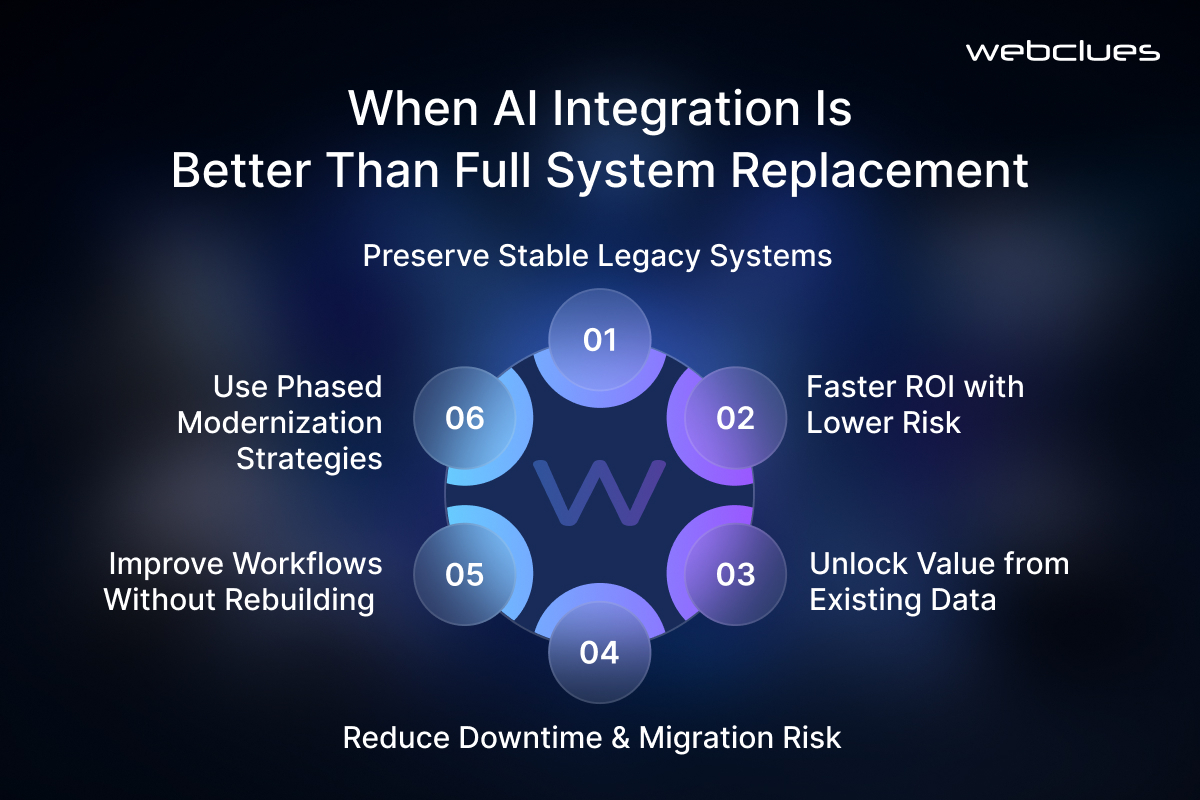
AI integration is usually the better choice when a legacy system is still stable, business-critical, and too costly to rebuild right away.
A full replacement sounds clean in theory, but older systems often contain undocumented rules, exceptions, and dependencies that only appear once migration starts. That increases project risk.
AI integration is often the stronger option when:
- The current system still works but lacks automation or intelligence
- The business needs ROI in months, not years
- Valuable data is trapped in older systems
- Downtime risk is high
- Teams depend on the current workflow daily
- Compliance makes large migrations harder
A common example is a company running an older ERP that handles purchasing and inventory well but struggles with forecasting. Rather than replacing the ERP, the business can extract sales and stock data into an AI forecasting model and feed recommendations back into planning workflows. The ERP remains intact, but planning improves quickly.
Replacement may still be necessary when:
- The system is unsupported or insecure
- Outages are frequent
- Data access is extremely limited
- Infrastructure costs are unsustainable
- The architecture blocks even basic integration
In practice, many businesses choose both: AI integration now for faster gains, phased replacement later for high-risk modules.
The Best AI Use Cases for Legacy System Modernization
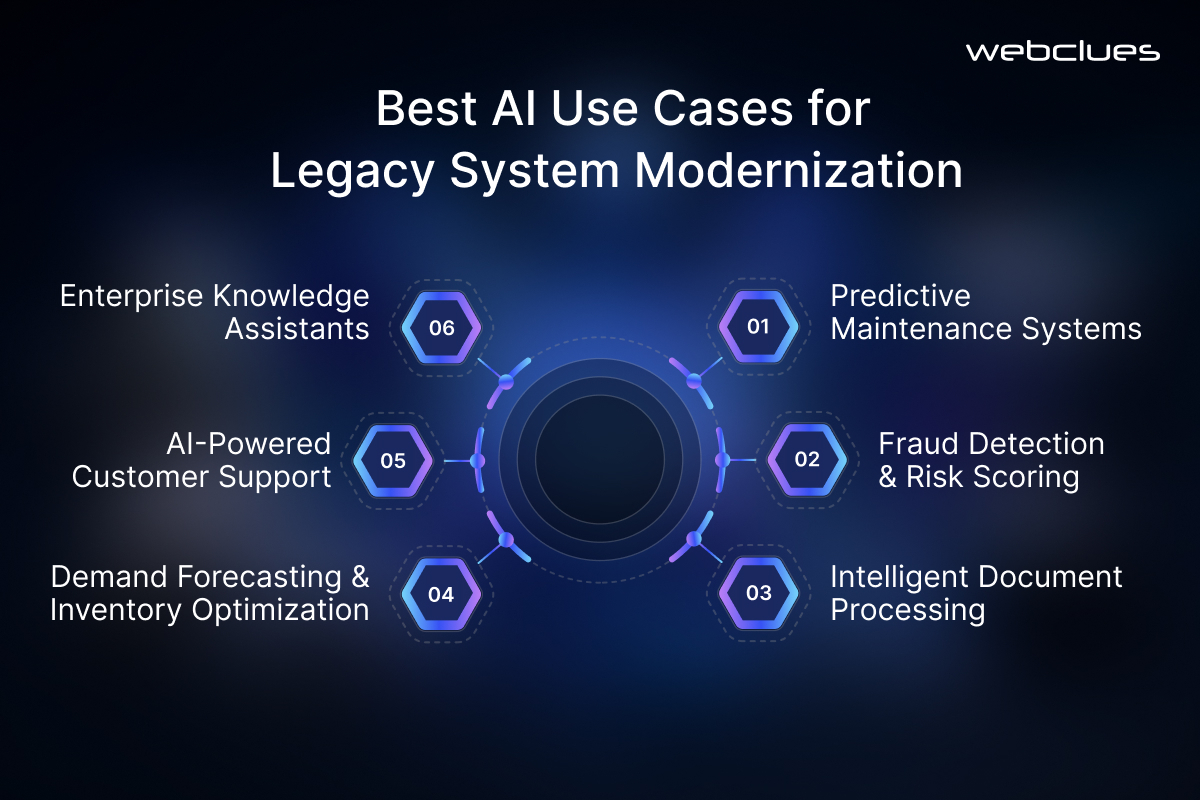
The best first use cases are high-value, data-rich, and low-risk. Strong candidates include:
1. Predictive Maintenance
For manufacturing, logistics, energy, and industrial operations, AI can analyze equipment data, maintenance history, and machine logs to predict failures before they happen. This reduces downtime and repair costs without changing production systems.
2. Fraud Detection and Risk Scoring
In banking, insurance, retail, and payments, AI can review transaction patterns or claims data and flag suspicious activity. The core system continues to process transactions, while AI adds a separate layer of insight.
3. Intelligent Document Processing
AI can extract data from invoices, claims, forms, PDFs, emails, and contracts using OCR and NLP. This is often a fast win for finance, healthcare, legal, and back-office teams because it reduces manual entry while preserving the current system of record.
4. AI-Powered Customer Support
Companies with older CRMs or helpdesk tools can use AI to summarize tickets, route requests, detect sentiment, and assist agents. This shortens response times without replacing the support platform.
5. Demand Forecasting and Inventory Optimization
Retail, CPG, logistics, and distribution businesses can use AI to analyze sales, seasonality, promotions, and stock levels. The output improves planning, purchasing, and working capital.
6. Enterprise Knowledge Assistants
Generative AI paired with retrieval-augmented generation can help employees search policies, SOPs, manuals, contracts, and internal documents faster. This is especially useful when knowledge is spread across file shares, older intranets, and ticket archives.
The key is to begin where AI improves a visible business metric without taking control of a critical process too early.
Step-by-Step Framework to Integrate AI Into Legacy Systems
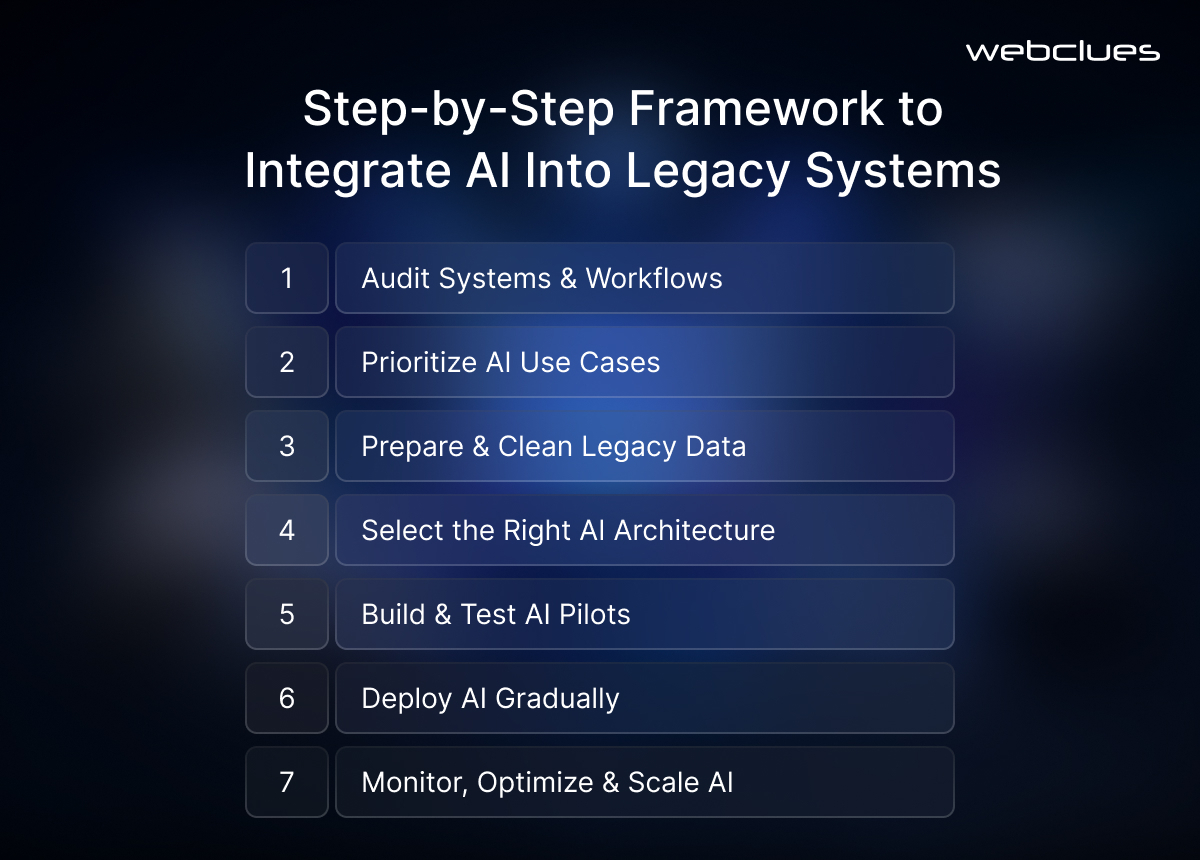
A successful AI integration program needs structure. The goal is not to add AI for its own sake. The goal is to improve a workflow safely and measurably.
Step 1: Audit Systems and Workflows
Start with a technical and operational review. Map:
- Core applications
- Data stores
- Existing APIs or file transfers
- Manual processes
- Security controls
- Compliance requirements
- System dependencies
Ask:
- Which systems are mission-critical?
- Where does valuable data live?
- Which workflows are manual, slow, or error-prone?
- Which systems can expose data safely?
- What downtime is acceptable?
Step 2: Prioritize Use Cases
Score potential AI use cases by business value, data availability, integration complexity, compliance risk, and time to pilot. Good early projects often include invoice extraction, ticket classification, report summarization, fraud alert prioritization, and forecasting.
Avoid starting with fully autonomous AI in high-risk areas like medical diagnosis, safety systems, or final credit approval. Begin with decision support.
Step 3: Prepare Legacy Data
Most AI integration issues are really data issues. Legacy data is often inconsistent, duplicated, poorly labeled, or siloed. Before deploying models, clean and structure the data through:
- Profiling
- Deduplication
- Normalization
- Labeling
- Masking sensitive data
- Defining data contracts
- Setting freshness standards
A data contract defines what a feed should contain, how fresh it must be, and how changes are handled. That reduces breakage caused by silent source-system changes.
Step 4: Select the Right Architecture
Choose the integration method based on the use case, not hype. Common options include API integration, middleware, microservices, event-driven architecture, RPA, and data lake or warehouse integration.
Step 5: Build a Pilot in a Sandbox
Test in a sandbox with masked or anonymized data. Measure model accuracy, latency, edge cases, system load, and rollback safety. For sensitive workflows, use shadow deployment so AI runs alongside the existing process without affecting live decisions.
Step 6: Deploy Gradually
Expand carefully by department, workflow, or geography. Keep humans in the loop. Let users review, override, and correct AI outputs while adoption grows.
Step 7: Monitor and Improve
Track drift, accuracy, uptime, data quality, security events, API failures, cost per prediction, and business KPIs. AI integration is not a one-time deployment. It becomes an operating model.
AI Integration Architectures That Work With Existing Tech Stacks
Different environments need different integration patterns.
API Integration
Best when legacy systems already expose APIs or can be wrapped with them. APIs are useful for near-real-time read and write access and work well for CRM lookups, ticket summaries, forecasting calls, and fraud scoring.
Middleware
Best when systems use incompatible formats. Middleware can translate flat files, XML, or older database outputs into AI-friendly formats and orchestrate flows across ERP, CRM, WMS, and AI services.
Microservices
Best for modular AI features such as recommendation engines, fraud scoring, document classification, or route optimization. Microservices let teams deploy one intelligent function at a time without changing the monolith.
Event-Driven Architecture
Useful when real-time triggers matter. Inventory changes, transactions, sensor alerts, or customer events can trigger AI analysis without slowing the core transaction flow.
RPA With AI
Helpful when systems have no APIs and only expose a UI. RPA bots can log in, move data, and complete repetitive steps while AI handles tasks like extraction or classification. This works well as a bridge, but it should not become the long-term architecture for everything.
Data Lake or Warehouse Integration
Best when AI needs large historical datasets across multiple systems. This is common for forecasting, churn prediction, anomaly detection, and analytics-heavy use cases.
The right pattern depends on AI integration cost, latency, risk, and technical constraints.
Key Challenges of Integrating AI Into Legacy Systems
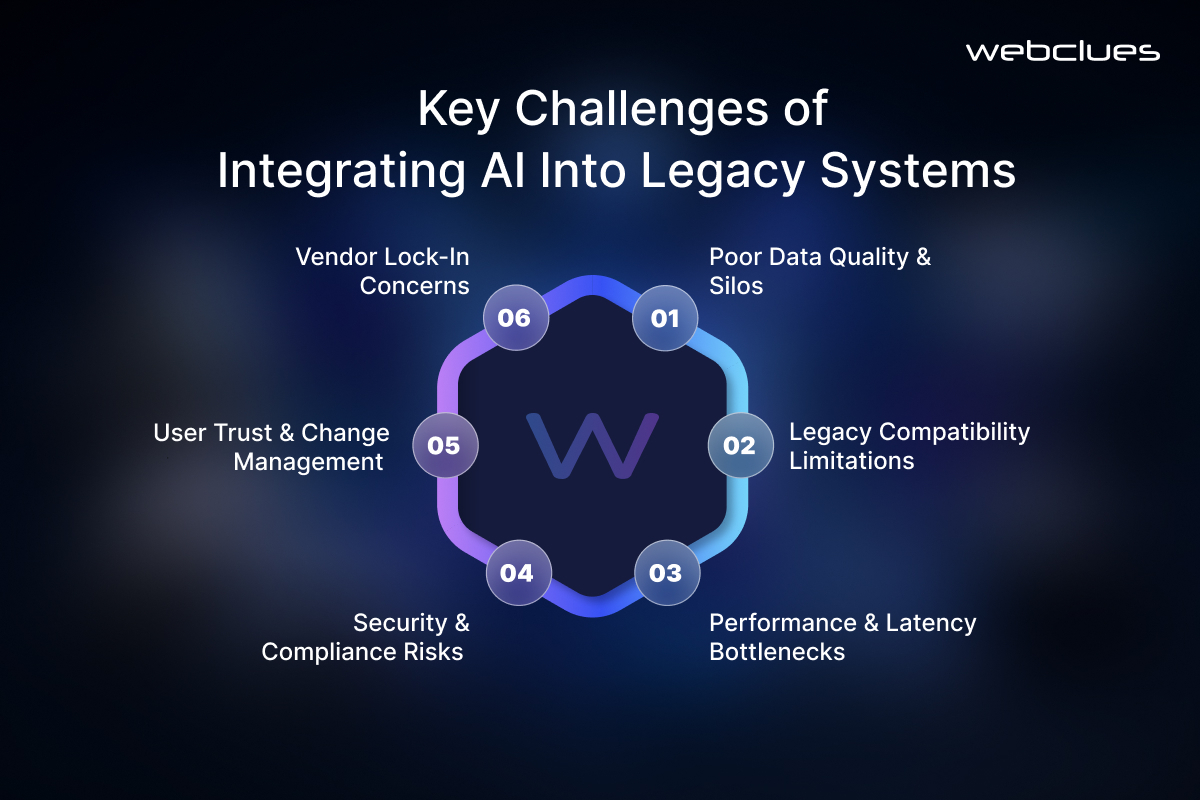
AI integration creates value, but only if the common risks are addressed early.
Data Quality and Silos
Legacy data may be inconsistent, duplicated, or scattered. Different systems may define customers, orders, or products differently. Solve this through data profiling, shared definitions, quality checks, and focused cleanup for the first use case.
Compatibility Issues
Older systems often use outdated protocols, proprietary formats, or rigid batch jobs. Use wrappers, middleware, ETL pipelines, message queues, or RPA to bridge the gap.
Performance and Latency
AI can add processing time, and old systems may not tolerate extra load. Offload AI workloads to cloud or hybrid infrastructure, use async processing, cache common results, and place models closer to the data when needed.
Security and Compliance
Connecting AI to legacy platforms creates new data paths and new risk. Use encryption, role-based access control, logging, masking, and private deployment models where required.
User Trust and Change Management
AI fails when teams do not trust it. Involve users early, explain what the system does, train teams, and allow overrides. Explainable outputs help adoption.
Vendor Lock-In
Avoid building everything around one proprietary tool. Use open standards where possible, document interfaces, and keep models separated from core systems.
Security, Compliance, and Governance for Legacy AI Integration
Security should shape architecture from day one. Legacy systems often hold sensitive financial, customer, health, or operational data, and AI introduces new access paths that must be controlled.
Baseline controls should include:
- Identity and access management
- Role-based permissions
- MFA
- API gateways
- Encryption in transit and at rest
- Data masking
- Secure logging
- Secrets management
- Network segmentation
- Audit trails
- Incident response procedures
Governance is equally important. Define:
- Who owns the model
- Who owns the data
- Who approves updates
- What data can be used for training
- Which decisions require human review
- How outputs are logged
- How rollback works
- Which compliance rules apply
For high-impact use cases, AI should recommend rather than decide. A claims adjuster, credit officer, planner, or clinician should review the output before action is taken.
How to Measure ROI From AI Integration Solutions
AI projects should be measured by business results, not model scores alone.
Track four categories of ROI:
1. Operational Metrics
Examples include processing time, ticket resolution speed, claims handled per day, downtime reduction, invoice cycle time, or stockout rate.
2. Financial Metrics
Look at cost per transaction, labor hours saved, fraud loss reduction, lower maintenance cost, overtime reduction, or revenue lift from better recommendations.
3. Technical Metrics
Track accuracy, precision, recall, latency, uptime, API error rates, pipeline failures, drift, and cost per prediction.
4. Adoption Metrics
Measure active users, acceptance rate, override rate, user satisfaction, and support requests.
For example, if invoice processing falls from 15 minutes to 5 minutes per document, that is not just a technical gain. It is a cost and throughput improvement that leadership can act on.
How to Choose the Right AI Integration Company
Choosing the right AI integration company matters because legacy system modernization requires more than AI model expertise. It requires architecture, data engineering, integration design, compliance knowledge, and deployment discipline.
If you need to hire AI integration developers, look for a partner that can provide:
- Legacy system assessment
- AI use-case discovery
- Data readiness analysis
- API and middleware integration
- Cloud, hybrid, and on-prem deployment
- Security and compliance planning
- MLOps and monitoring
- Custom AI integration solutions
- Change management support
- ROI tracking
A good AI integration services provider should understand ERP, CRM, custom enterprise software, data pipelines, and production AI—not just prototypes.
Why Consider Webclues for AI Integration Services
Webclues is well-positioned for businesses that want to integrate AI into existing enterprise systems without forcing a full rebuild. For companies evaluating AI integration solutions, Webclues can support the full lifecycle: discovery, architecture planning, data readiness, AI development, integration, testing, deployment, and optimization.
This is especially relevant for businesses that want to:
- Integrate AI into existing enterprise software
- Modernize legacy applications without replacement
- Build secure AI workflows around current systems
- Add automation, prediction, or generative AI to existing operations
Hire AI integration developers with both AI and software engineering capabilities. The top AI integration companies will focus on practical modernization and measurable value, not AI for its own sake.
Conclusion
AI integration does not require a full rebuild of your tech stack. In many cases, rebuilding too early adds more risk than value. A better path is to modernize in layers.
Start with one workflow where AI can create a measurable impact. Assess the systems and data behind that workflow. Choose the right integration pattern—API, middleware, microservice, event stream, RPA, or data platform. Test in a controlled environment. Put security and governance in place from the start. Then scale only after the ROI is clear.
This approach helps you protect what already works while adding the intelligence your business needs. If you are looking to hire AI integration developers, focus on partners who understand both enterprise systems and production-grade AI. That combination is what turns AI from a pilot into a durable business capability.
Ready to integrate AI into your existing tech stack without the risk of a full rebuild? Contact us today to speak with our enterprise AI integration experts and start modernizing your workflows.
Post Author

Ayush Kanodia
As one of the esteemed Directors of WebClues Infotech. Ayush Kanodia is passionate about delivering innovative IT services & solutions and has spearheaded numerous successful projects, cementing the company's position as a leader in the field.


Build Your Agile Team
Hire Skilled Developer From Us
Modernize Legacy Systems With Enterprise AI Integration Solutions
Transform your existing enterprise systems with secure, scalable AI integration solutions. From APIs and automation to predictive intelligence and generative AI, our experts help you modernize legacy infrastructure without disrupting operations. Start with a high-impact AI use case and achieve faster ROI with a practical, low-risk integration strategy.
Connect Now!Frequently Asked Questions
Our Recent Blogs
Sharing knowledge helps us grow, stay motivated and stay on-track with frontier technological and design concepts. Developers and business innovators, customers and employees - our events are all about you.